
Every team has the same ghost in its backlog: a ticket that says "the tickets page is broken," attached to a screenshot of a blank white screen. It is technically a bug report. It is also useless. The developer who picks it up has to become a detective before they get to be an engineer.
The problem isn't that reporters are lazy. It's that we ask them to describe, in prose, a machine state they can't see.
The reporter isn't withholding information. They're staring at the one layer that can't explain the bug.
The tab you can't see
A screenshot captures the one layer a human is looking at — the rendered page. It throws away every layer underneath: the console error that fired, the network request that came back 500, the app state at the moment things broke, the browser and viewport it happened in. Those are exactly the layers a developer needs, and exactly the ones a reporter never thinks to open.
Why screenshots lie
A blank white page has a dozen possible causes. A picture of it narrows them down to none. What actually moves a bug toward a fix is the stuff an image can't hold:
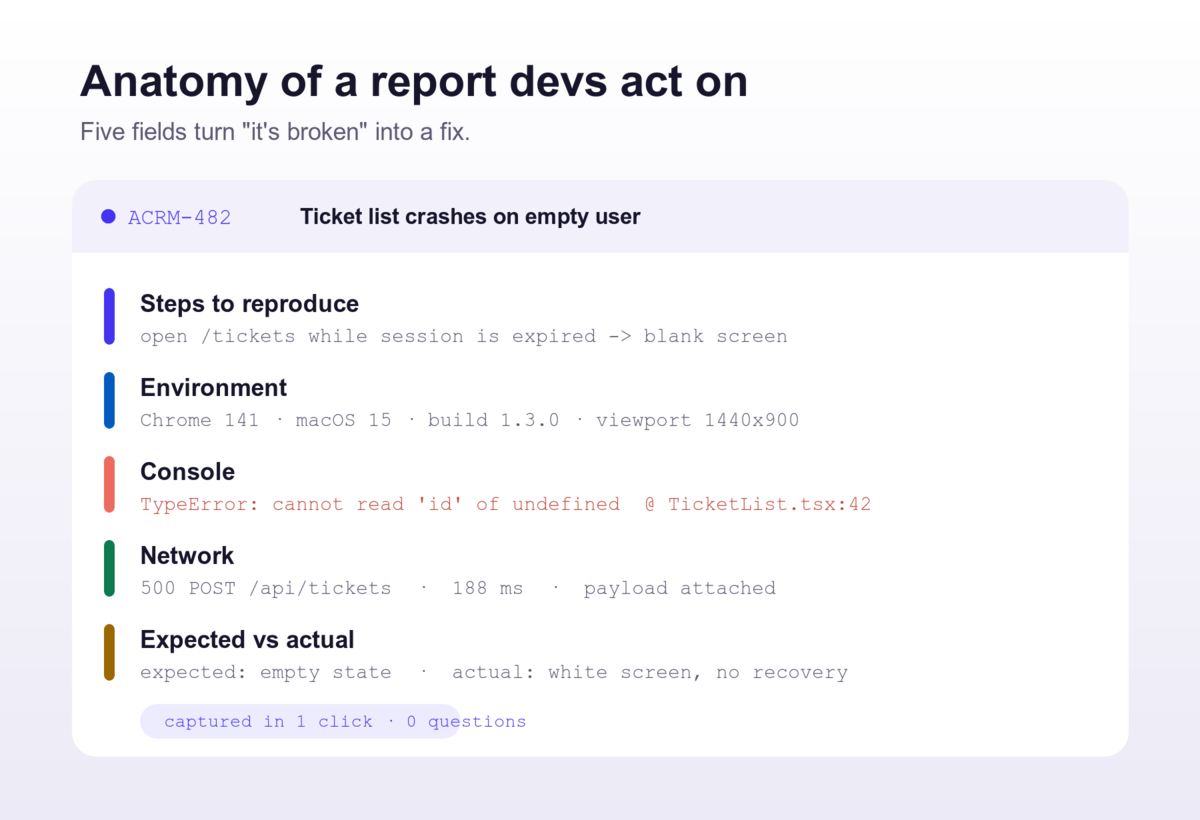
- Reproduction steps — the exact path that triggers it, not "sometimes it breaks"
- Environment — browser, OS, build version, viewport
- Console — the real error and the line it came from, like
TypeError: cannot read 'id' of undefined - Network — the failed request, its status code, and its payload
- Expected vs. actual — what should have happened, in one line
Anatomy of a report devs act on
Put those five things on one card and the detective work disappears. The developer opens the ticket already knowing where to look — no reply thread, no "can you send me the console?", no waiting a day for the reporter to log back in.
Let the machine write the boring parts
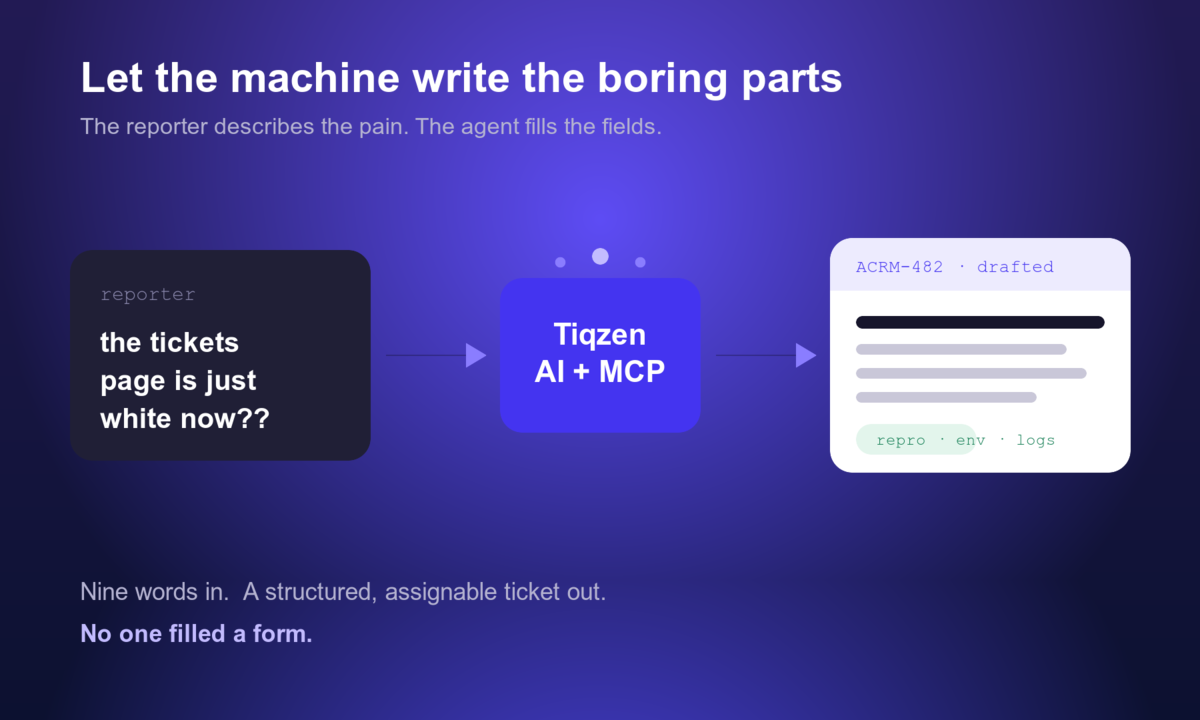
Here's the part most teams miss: the reporter should never have to fill any of that in. The person hitting the bug knows exactly one thing — that it hurt. Everything else is context a tool can collect automatically and an agent can shape into a clean, assignable ticket. That's the whole idea behind Tiqzen's capture widget and its MCP server: the human describes the pain in nine words, the machine attaches the console, the network log and the environment, and drafts the rest.
The 90-second rule
If filing a good bug report takes longer than 90 seconds, your best testers will quietly stop filing them — and you'll be left with "it doesn't work" and a screenshot. The answer isn't nagging people to write more. It's making the complete report the easy path: one click to capture, one agent to draft, zero forms.
The easy path wins
Stop asking people to describe the crash. Start capturing it — your backlog, and the developer reading it at 5pm on a Friday, will thank you. See how it works at tiqzen.com.
| Plan | Price | Seats |
|---|---|---|
| Free | $0 | 3 |
| Team | $39/mo | 10 |